
简单玩玩 Java 构建本机镜像,像 Go 一样直接启动
介绍
我们构建 Java 项目的构件产出通常是 jar 包,运行它需要使用 JRE 环境。
jar 包的优势很明显,跨平台,放哪个平台上都可以跑,很方便。但是对于内存的消耗会大一些。而 Graalvm 可以把 Jar 包编译为本机可执行文件,不再需要 JRE 运行环境,启动很快,内存占用也会少一点。
年初时候我尝试把生产项目改成本机模式,发现复杂度太高了,很难在编译时候让编译器识别到全部需要的依赖。Java的反射和接口一类用的太多了。遂放弃了。
最近用到了一个简单的 Spring boot项目 simple-boot-douban-api 发现可以玩一玩。
升级 Spring Boot 3
在检出项目后,修改项目 pom 配置,把 spring-boot-starter-parent 升级到了 3.3.2
<parent> <groupId>org.springframework.boot</groupId> <artifactId>spring-boot-starter-parent</artifactId> <version>3.3.2</version> <relativePath/> <!-- lookup parent from repository --> </parent>修改 JDK 使用 17 版本, jsoup也跟着升级一下。
<properties> <java.version>17</java.version> <jsoup.version>1.18.1</jsoup.version></properties>Spring boot 2 ==> 3 的升级,Java EE 变成了 Jakarta EE 包路径基本都发生了改变
比如 javax.servlet ==> jakarta.servlet
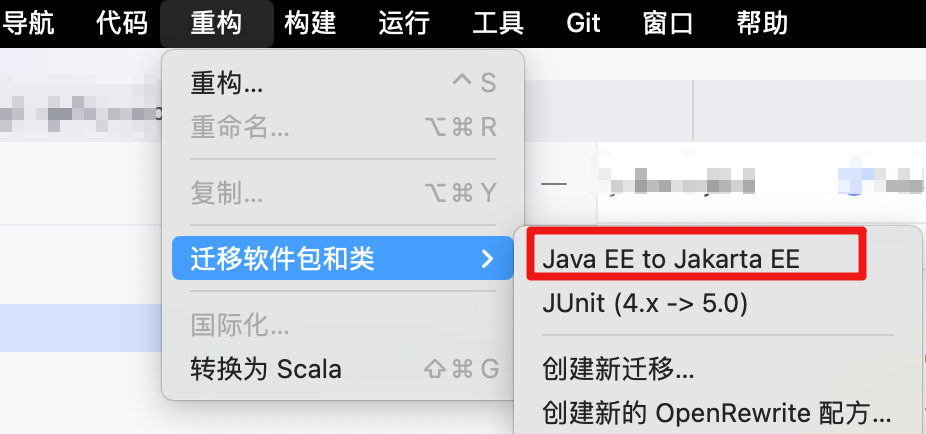
使用 IDEA 可以在使用重构进行迁移
搞完之后,mvn clean install 后,测试启动项目,ok
增加本机构建
还是在 pom 文件中,增加 native 相关配置。
<profiles> <profile> <id>native</id> <build> <plugins> <plugin> <groupId>org.graalvm.buildtools</groupId> <artifactId>native-maven-plugin</artifactId> <executions> <execution> <id>build-native</id> <goals> <goal>compile-no-fork</goal> </goals> <phase>package</phase> </execution> </executions> </plugin> </plugins> </build> </profile> </profiles>本地要安装 graalvm jdk17 环境,并设置为JAVA_HOME。之后便可以尝试构建了。
命令 mvn -Pnative -DskipTests=true native:compile
在经历一段时间后,会在target目录中生成 simple-boot-douban-api 文件, ./simple-boot-douban-api 直接可以启动。
尝试调用,出现报错 找不到 caffeine cache相关的类。网上搜索一下,有给出解决方案的,使用 spring 提供的接口,把依赖的类型注册进去。测试了一下挺麻烦的,也没解决问题。spring core本身提供的内建的缓存,直接用也行。遂移除依赖 spring-boot-starter-cache 和 caffeine ,重新构建,功能OK。
- 对比 simple-boot-douban-api.jar 20MB的体积,simple-boot-douban-api 大小涨到 70MB,使用 upx 处理后,大约 30MB。体积还行。
- 启动速度上 jar包是 1.004,本机启动 0.07,快了不少
- 内存占用大约少了1/3
设备 Macbook pro M3 max
Docker镜像构建
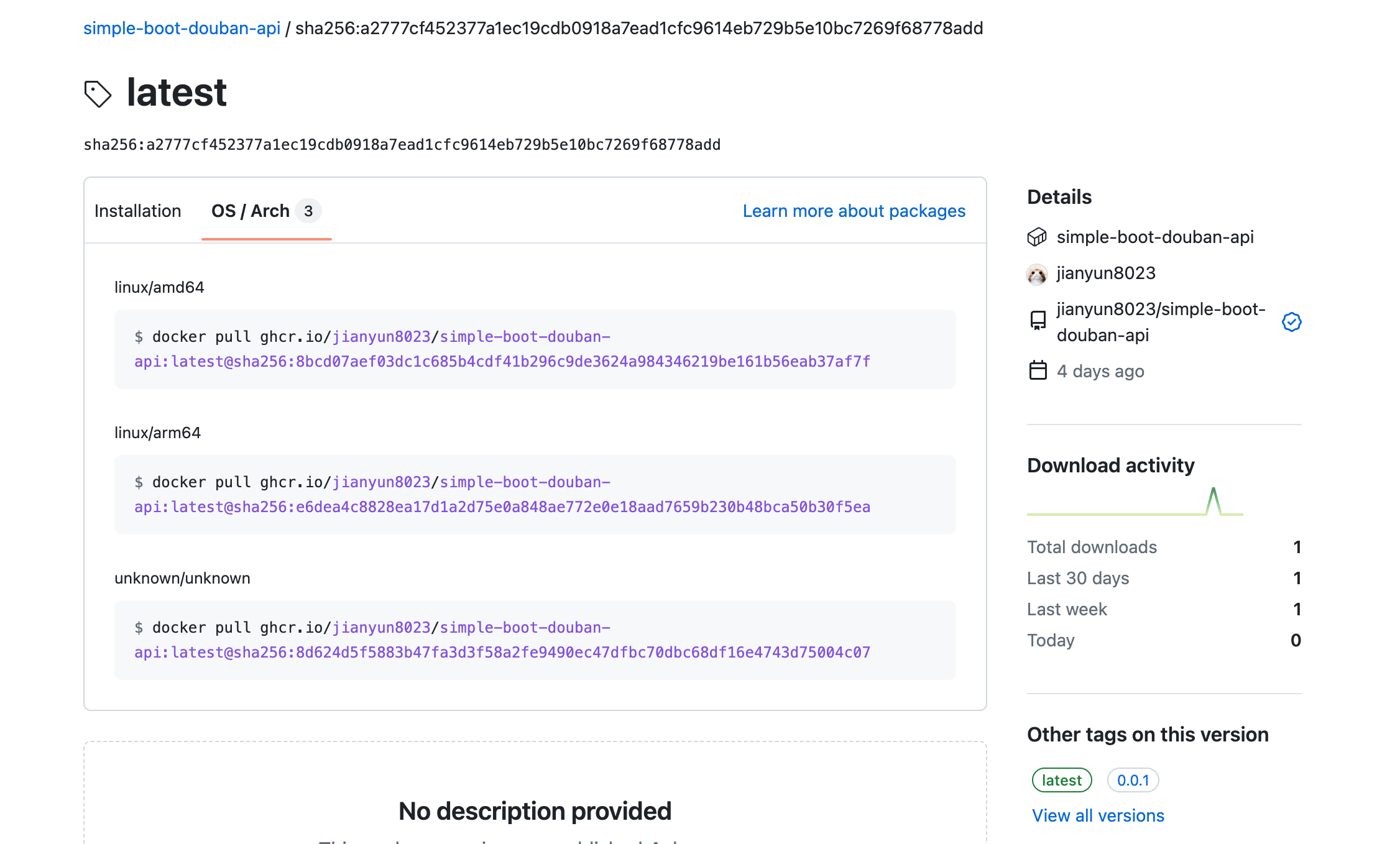
目前我需要构建 x64 和 arm64 的镜像,使用docker的buildx 拉起两个环境,分别构建。
示例 Dockerfile
# Start with base imageFROM vegardit/graalvm-maven:latest-java17 AS buildWORKDIR /appCOPY ./ /appRUN --mount=type=cache,id=maven,target=/mvn/store mvn -Dmaven.repo.local=/mvn/store -Pnative -DskipTests=true clean native:compileRUN upx /app/target/simple-boot-douban-api# Start with base imageFROM debian:bookworm-slim
WORKDIR /app# Add Maintainer InfoLABEL maintainer="jianyun8023"
# Add a temporary volumeVOLUME /tmp
# Expose Port 8085EXPOSE 8085
ENV DOUBAN_CONCURRENCY_SIZE="5"ENV DOUBAN_BOOK_CACHE_SIZE="1000"ENV DOUBAN_BOOK_CACHE_EXPIRE="24h"ENV DOUBAN_PROXY_IMAGE_URL="true"
# Add Application Jar File to the ContainerCOPY --from=build /app/target/simple-boot-douban-api simple-boot-douban-api
# Run the JAR fileENTRYPOINT ["bash","-c","/app/simple-boot-douban-api"]Github Action 配置
name: Build simple-boot-douban-api Imageson: workflow_dispatch: release: types: [published]env: IMAGE_NAME: simple-boot-douban-api VERSION: '0.0.1'
jobs: docker: runs-on: ubuntu-latest steps: - name: Set VERSION for release if: github.event_name == 'release' run: echo "VERSION=${{ github.event.release.tag_name }}" >> $GITHUB_ENV
- name: Checkout uses: actions/checkout@v3 - name: Set up Java uses: actions/setup-java@v3 with: distribution: 'adopt' java-version: '17'
- name: Create Maven repository directory run: | mkdir -p ~/.m2/repository chmod 755 ~/.m2/repository
- name: Cache Maven packages uses: actions/cache@v4 id: cache with: path: ~/.m2/repository key: ${{ runner.os }}-maven-${{ hashFiles('**/pom.xml') }} restore-keys: | ${{ runner.os }}-maven-
- name: inject Maven packages cache into docker with: cache-map: | { "~/.m2/repository": "/mvn/store" } skip-extraction: ${{ steps.cache.outputs.cache-hit }}
- name: Set up QEMU uses: docker/setup-qemu-action@v2 - name: Set up Docker Buildx uses: docker/setup-buildx-action@v2 - name: Log in to registry uses: docker/login-action@v2 with: registry: ghcr.io username: ${{ github.actor }} password: ${{ secrets.GITHUB_TOKEN }}
- name: Build and push uses: docker/build-push-action@v4 with: context: ./ platforms: linux/amd64,linux/arm64 cache-from: type=gha cache-to: type=gha,mode=max build-args: | VERSION=${{ env.VERSION }} push: true tags: | ghcr.io/${{ github.repository_owner }}/${{ env.IMAGE_NAME }}:${{ env.VERSION }} ghcr.io/${{ github.repository_owner }}/${{ env.IMAGE_NAME }}:latest镜像信息
个人感受
使用 GraalVM 可以构建出 Java 的本机镜像,可以降低资源的使用量,提高启动速度。但是它带来的繁琐度和维护成本增加,个人感觉没太大吸引力。使用 Go 做这件事它不香吗?
对企业来说,维护难度低比少点内存,少占一点资源更有吸引力。至于启动速度,我想一分钟以内的差距应该问题不大。
对我而言,非常简单的项目可能会玩一下,如果我写这个项目,我会换成 Go 实现。复杂项目使用它太麻烦了。当然,构建本机镜像可以做到像Go那像简单,我会很乐意使用的。
参考资料
- simple-boot-douban-api: https://github.com/fugary/simple-boot-douban-api
- Native Images with Spring Boot and GraalVM: https://www.baeldung.com/spring-native-intro